
QUICK INFO
- Joomla! 3.x and 4.x
- Helix Ultimate & SP Page Builder
- Fully Responsive Layout
- Gallery
- K2 Blog
- Google Fonts, Megamenu Generator, Compress JS/CSS
- Author: LTHEME

QUICK INFO
- Joomla! 4.x
- Helix Ultimate & SP Page Builder
- Fully Responsive Layout
- Hikashop/ J2Store
- Font Awesome 4.3 ( over 510+ Icons) also for menu items
- Author: LTHEME

QUICK INFO
- Joomla! 3.x and 4.x
- Helix Ultimate & SP Page Builder
- Fully Responsive Layout
- Unique and Attractive Design
- Well-organized Content
- Friendly Contact Form
- Font Awesome 4.3 ( over 510+ Icons) also for menu items
- Author: EngineTemplates

QUICK INFO
- Joomla! 3.x and 4.x
- Helix Ultimate & SP Page Builder
- Fully Responsive Layout
- Elegant and Professional Design
- Clean and Friendly Interface
- 8 Layout Color Styles
- Free Answer & Questions form
- Font Awesome 4.3 ( over 510+ Icons) also for menu items
- Author: EngineTemplates

QUICK INFO
- Joomla 4
- Real Estate Manager
- Responsive Joomla Template
- Plenty of module positions
- Bootstrap 3 / Awesome jQuery effects
- Google Fonts, Font Awesome Icons
- Author: Ordasoft
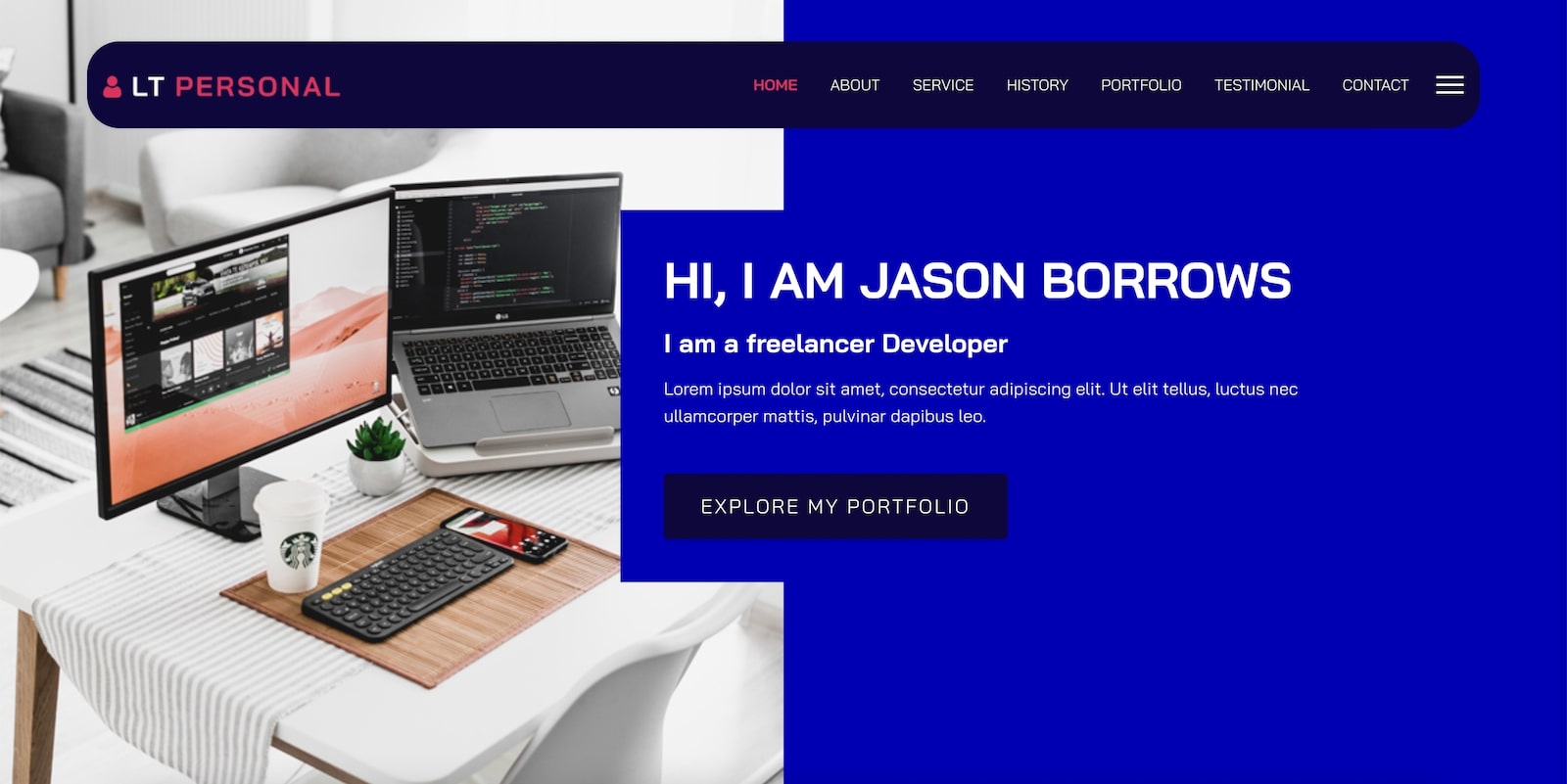
QUICK INFO
- Joomla 4
- Helix Ultimate
- Canvas Mobile Menu, Retina/Mobile logos, Google Fonts, Megamenu Generator, Compress JS/CSS code, Multi-colors (8 styles)
- 6 customizable color schemes, drag-drop tools
- SP Page Builder / K2
- VirtueMart / Hikashop / J2Store / JEvents
- Author: LTHEME

QUICK INFO
- Joomla 4
- Helix Ultimate
- Bootstrap CSS grid layout
- SP Page Builder / K2
- VirtueMart / Hikashop / J2Store / JEvents
- Author: LTHEME

QUICK INFO
- Joomla 3 | Joomla 4
- 6 niche designed homepage
- Custom Design of the Header and Footer
- Control the Website Layout Options
- Lightning Fast and Fully Customizable
- Drag & Drop Website Building
- Analyze SEO Score Instantly
- Megamenu
- Author: Themexpert

QUICK INFO
- Joomla 3 | Joomla 4
- Helix Ultimate Framework
- 8 Layout Color Styles
- Hikashop, Virtuemart, SP Page Builder
- K2 Blog
- Fully Responsive Layout
- Author: LTHEME

QUICK INFO
- Joomla 3 | Joomla 4
- Helix Ultimate Framework
- 8 Layout Color Styles
- Virtuemart, Hikashop, J2Store, SP Page Builder, K2
- Fully Responsive Layout
- Bootstrap 3.2
- Social Comments
- Author: Engine Templates
Page 1 of 4

Latest articles
-
Administrator Recovery for JoomlaRecover your Joomla administrator password or username with email verification. Supports Joomla 4, 5 and 6, with IP whitelisting and recovery limits.
-
Convert Extension to Joomla 5 and 6This powerful tool simplifies the process of converting your Joomla 3 extensions, helping you adapt them for Joomla 5 and Joomla 6 with minimal effort.
-
Login with OTPNo need to remember passwords, usernames, or anything else. Just remember your email address and you can log in to the site.
-
Top free Joomla 5 template to build news sitesYou are planning to build a news website, these are the templates you should not miss.
-
Content AuthorContent Author is an add-on extension for Joomla Content. By installing it, you can categorize articles by author. Make it easy for users to access the content they are interested in.
We are using JMP File Manager version 1.3.3 on our Joomla 6.1.1 website and need your assistance with configuring folder-level access restrictions.
Requirement:
We want users assigned to the TeamMarketing user group to access only the docs folder. They should not be able to view or access other directories, such as administrator, components, images, modules, and other folders in the Joomla root directory.
Current Configuration:
Joomla Version: 6.1.1
JMP File Manager Version: 1.3.3
Configured Path: .
Advanced Permissions:
[TeamMarketing]docs
[Editor]docs
The TeamMarketing user is assigned to the TeamMarketing group, and the TeamMarketing group is nested under the Publisher group in our Joomla user-group hierarchy.
However, after saving the configuration and logging in as the TeamMarketing user, the file manager still displays the entire Joomla root directory and its folders instead of restricting access to the docs folder.
We have also reviewed the component permissions in Joomla Global Configuration, but the folder-level restriction is still not working as expected.
Could you please clarify the following?
Is our current Advanced Permissions syntax correct for JMP File Manager version 1.3.3?
How should we configure the component to allow the TeamMarketing group to access only the docs folder?
Does the component support restricting the root directory and hiding all other folders based on Joomla user groups?
Are there any additional settings, permission rules, or code changes required to achieve this functionality?
We can provide screenshots of our current configuration and the issue for further investigation.
We would appreciate your guidance on the correct configuration or a recommended fix.
Thank you for your support.
Best regards,
^Add a message editing option for users who cannot use this feature.