Logging in with an OTP (One-Time Password) allows users on your site to avoid remembering information such as passwords and usernames. They only need to remember the email address they registered with.
With each login, the system will send an OTP code to their email. Entering the correct OTP will automatically log them into the website without requiring any further action.
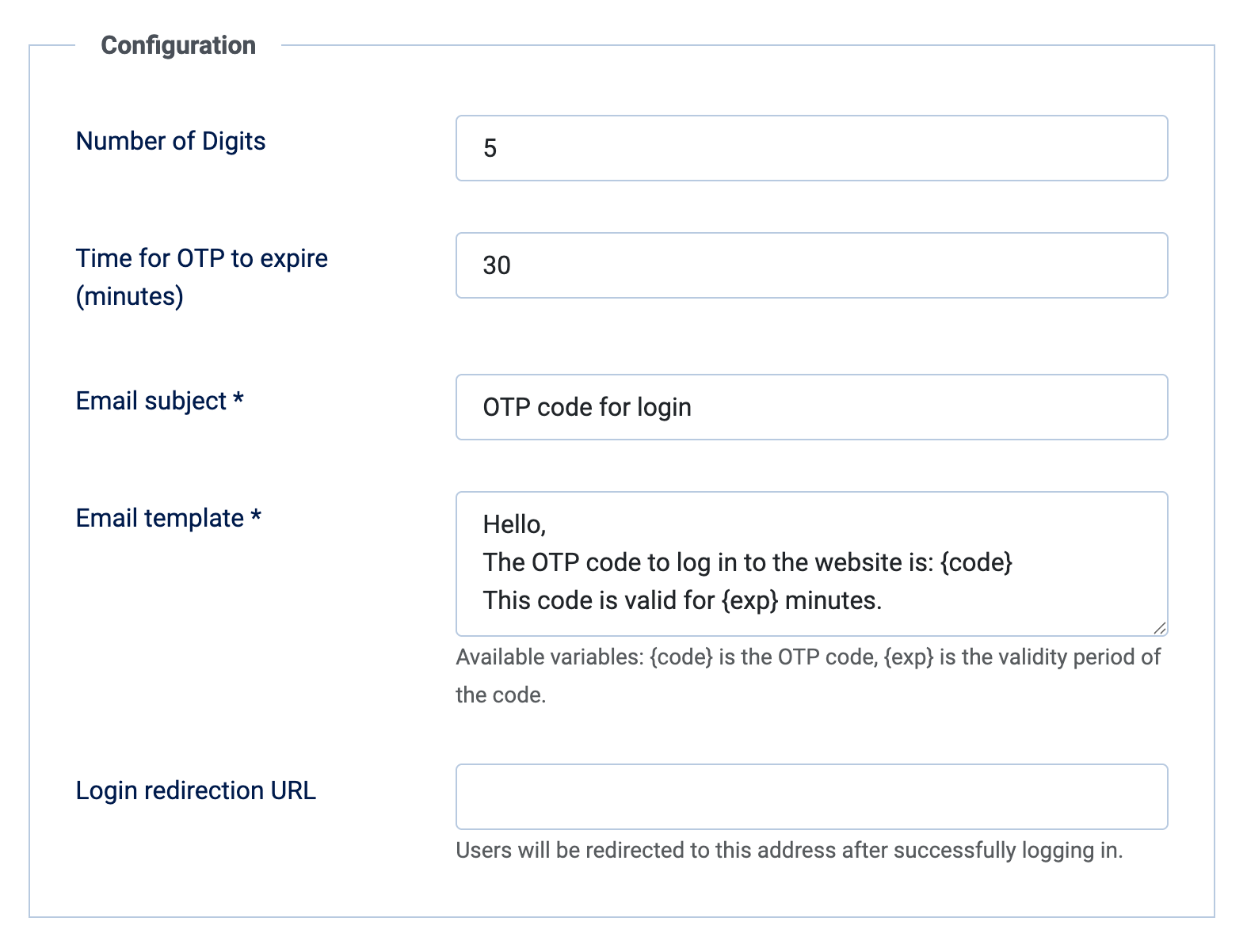
All OTP codes are valid for a specific period (as specified in the settings) to prevent misuse by OTP guessing.
* This extension is compatible with Joomla 3 to 6.
------
After downloading this extension, you install it through the Joomla installer. Next, go to Components > Login With OTP > Options to initialize the parameters.
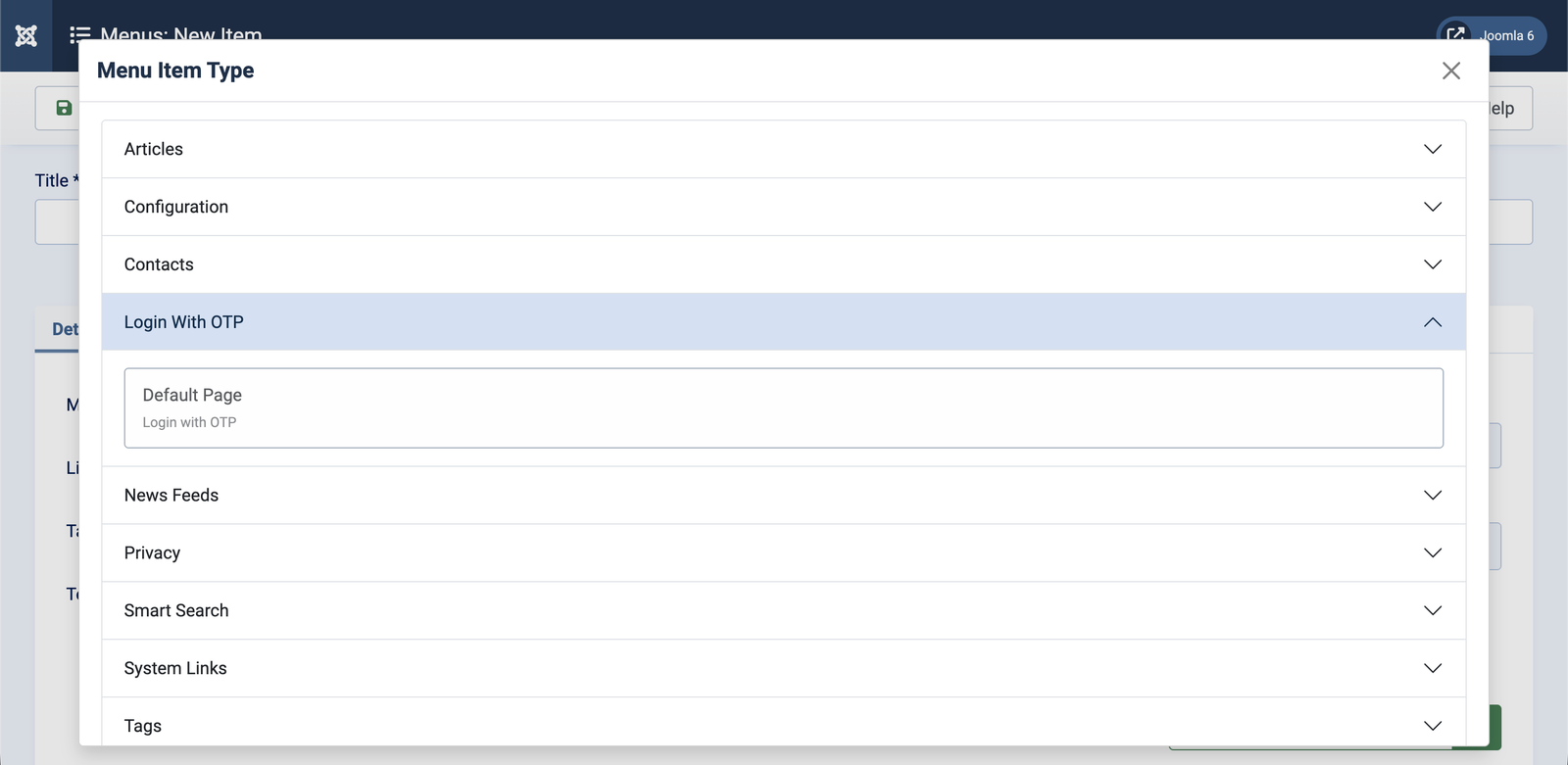
Next, go to the menu to create a login page using OTP: Menus > Main Menu (or option) > New > Login With OTP > Default Page.
And here's the result. Users will receive an OTP code via email.
@Keith Hi!It is used solely for logging in—specifically, for users who already have an account but do not want to memorize a password or deal with the cumbersome password recovery process.🙂
Can you restrict entire words (and more specifically phrases with 2 or more words) with this plugin? Or is it only good for single characters or single words?
We have a user group called "Members" in the frontend, which is a subgroup of "Managers." Members of this group cannot see the "Delete My Profile" option. How can I change this? Members of this group should also be able to delete their profiles.
We use cookies to maintain login sessions, analytics and to improve your experience on our website. By continuing to use our site, you accept our use of cookies, Terms of Use and Privacy Policy.

 · 8 days ago@Keith Hi!It is used solely for logging in—specifically, for users who already have an account but do not want to memorize a password or deal with the cumbersome password recovery process.🙂

^Add a message editing option for users who cannot use this feature.