Top free Joomla 5 template to build news sites
Among thousands of templates for Joomla, to meet the criteria of beautiful, free and suitable for Joomla 5 is not easy. Below are the top 5 completely free news templates for Joomla 5 that you may like:
JA Purity IV
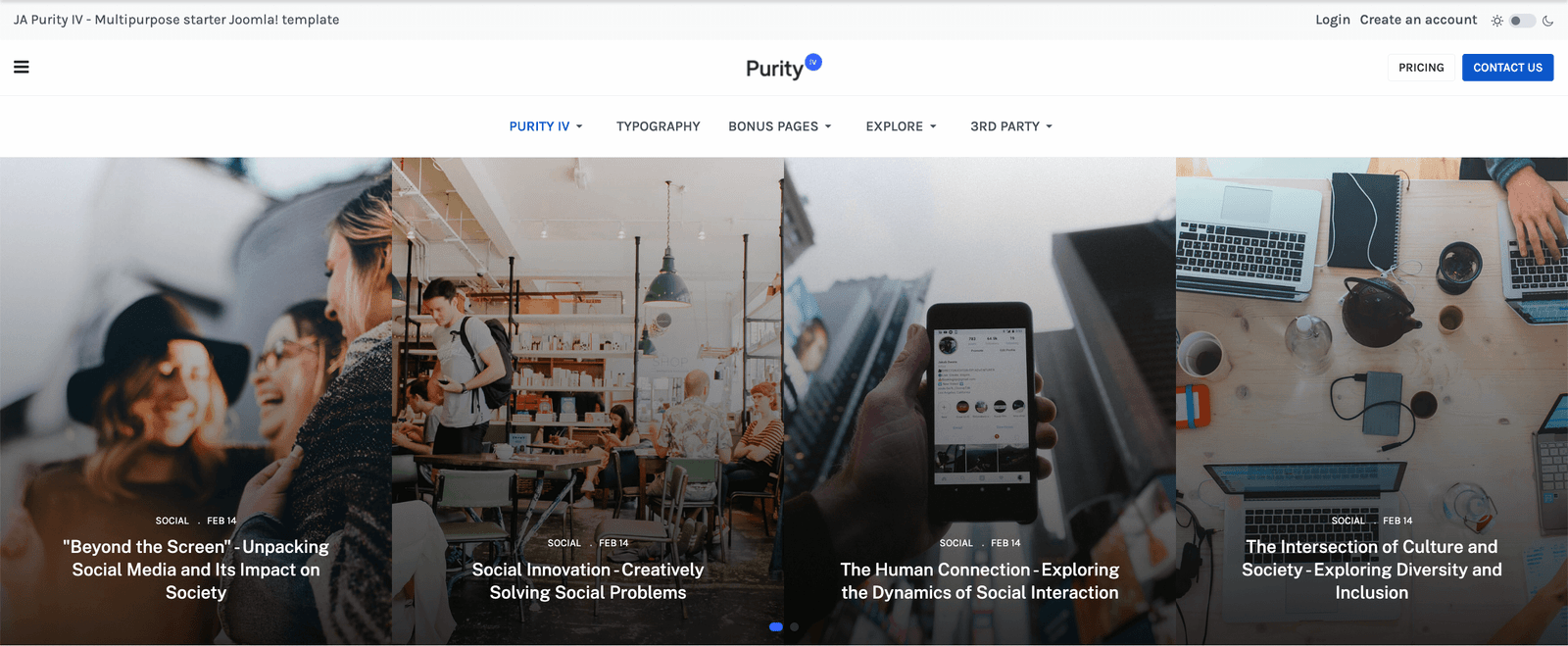
Purity IV is highly compatible with popular 3rd party extensions, allowing you to add even more functionality to your site. Customize your website with ease using the theme customizer, inbuilt CSS and SCSS editors, and layout builder.
WT Trendi

Trendi is a Joomla 5 Template for Cryptocurrency blogs or online magazines, based on the powerful Helix Ultimate framework. It's a Crypto Joomla Template for bitcoin mining websites, cryptocurrency exchange and trading, digital currencies, finances, and business consulting. It's also a perfect template for online digital payment systems.
Helix3
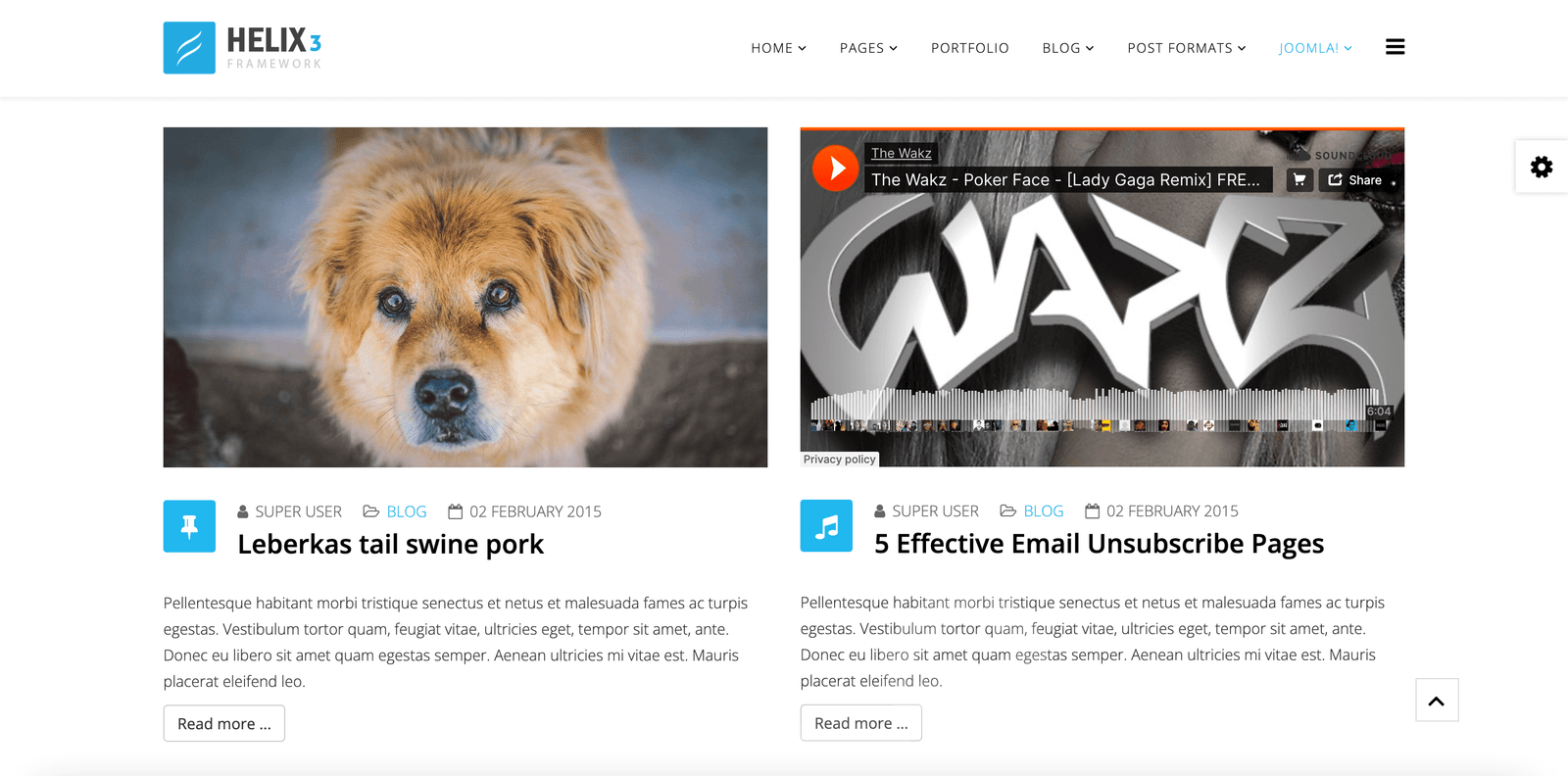
Helix3 is a a clean and modern Joomla template for business, corporate, personal, and creative portfolio sites. With many cutting-edge features, Helix3 indeed makes your company website useful and impressive among others.
SJ News
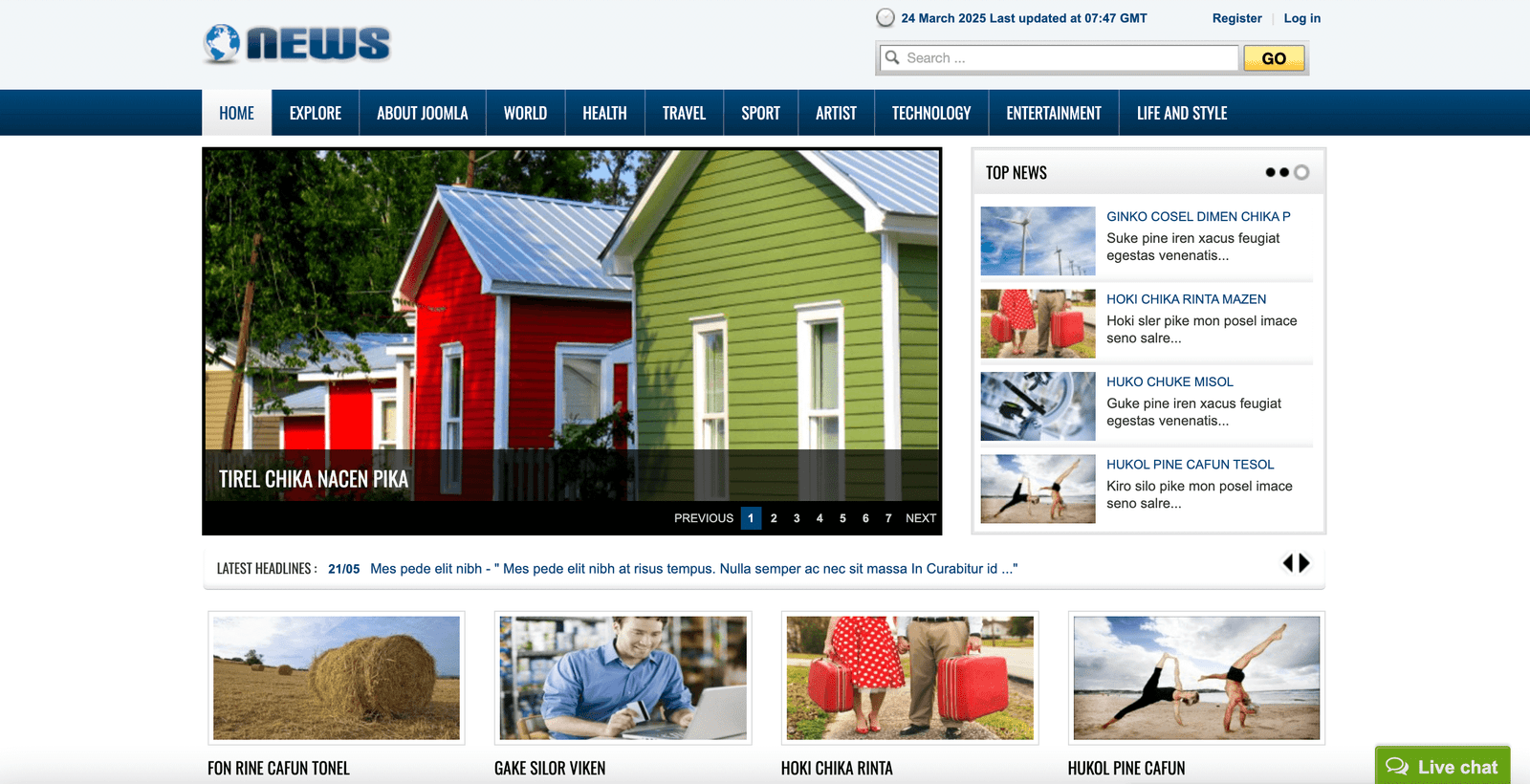
SJ News is a Joomla 5 template supports many extensions which include both of module and plugins. You can use these extensions for showing articles at various positions on the template.
GT Brenews
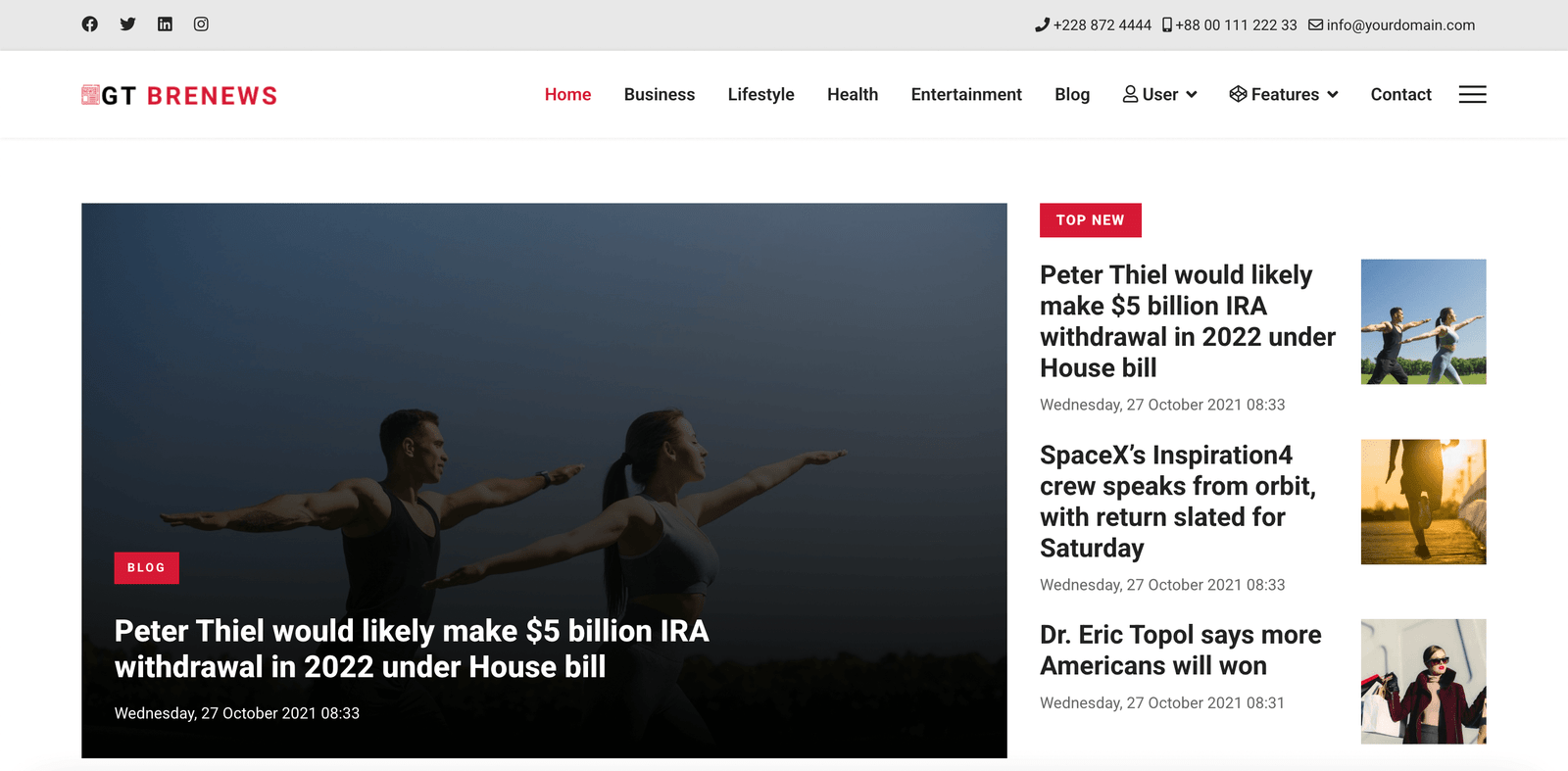
Do you need a dynamic, versatile, and powerful Joomla template for your lifestyle news website? Get GT Brenews, the perfect solution for anyone looking to create a lifestyle news website. The template is based on the most recent version of Joomla 4 and utilizes the powerful Bootstrap CSS framework for its responsive design.

We are using JMP File Manager version 1.3.3 on our Joomla 6.1.1 website and need your assistance with configuring folder-level access restrictions.
Requirement:
We want users assigned to the TeamMarketing user group to access only the docs folder. They should not be able to view or access other directories, such as administrator, components, images, modules, and other folders in the Joomla root directory.
Current Configuration:
Joomla Version: 6.1.1
JMP File Manager Version: 1.3.3
Configured Path: .
Advanced Permissions:
[TeamMarketing]docs
[Editor]docs
The TeamMarketing user is assigned to the TeamMarketing group, and the TeamMarketing group is nested under the Publisher group in our Joomla user-group hierarchy.
However, after saving the configuration and logging in as the TeamMarketing user, the file manager still displays the entire Joomla root directory and its folders instead of restricting access to the docs folder.
We have also reviewed the component permissions in Joomla Global Configuration, but the folder-level restriction is still not working as expected.
Could you please clarify the following?
Is our current Advanced Permissions syntax correct for JMP File Manager version 1.3.3?
How should we configure the component to allow the TeamMarketing group to access only the docs folder?
Does the component support restricting the root directory and hiding all other folders based on Joomla user groups?
Are there any additional settings, permission rules, or code changes required to achieve this functionality?
We can provide screenshots of our current configuration and the issue for further investigation.
We would appreciate your guidance on the correct configuration or a recommended fix.
Thank you for your support.
Best regards,
^Add a message editing option for users who cannot use this feature.