Insert article attributes into another article
Your website has a list of articles and they are linked together. However, these links can be broken when you update the aliases for these articles. Moreover, the titles can also be changed, which causes the links to return 404 errors and is not good for your website's ranking.
Using this plugin to insert article attributes such as title, link, image..., you will no longer have to worry about this problem. The links, titles or attributes will be automatically updated if they are edited.
It is compatible with all versions of Joomla. After installing it, go to Plugin Management > Content - Article Attributes to enable it.
In the article editor, you use the following structure to insert article attributes:
{aa:<ID_OF_ARTICLE>:<ATTRIBUTE>}
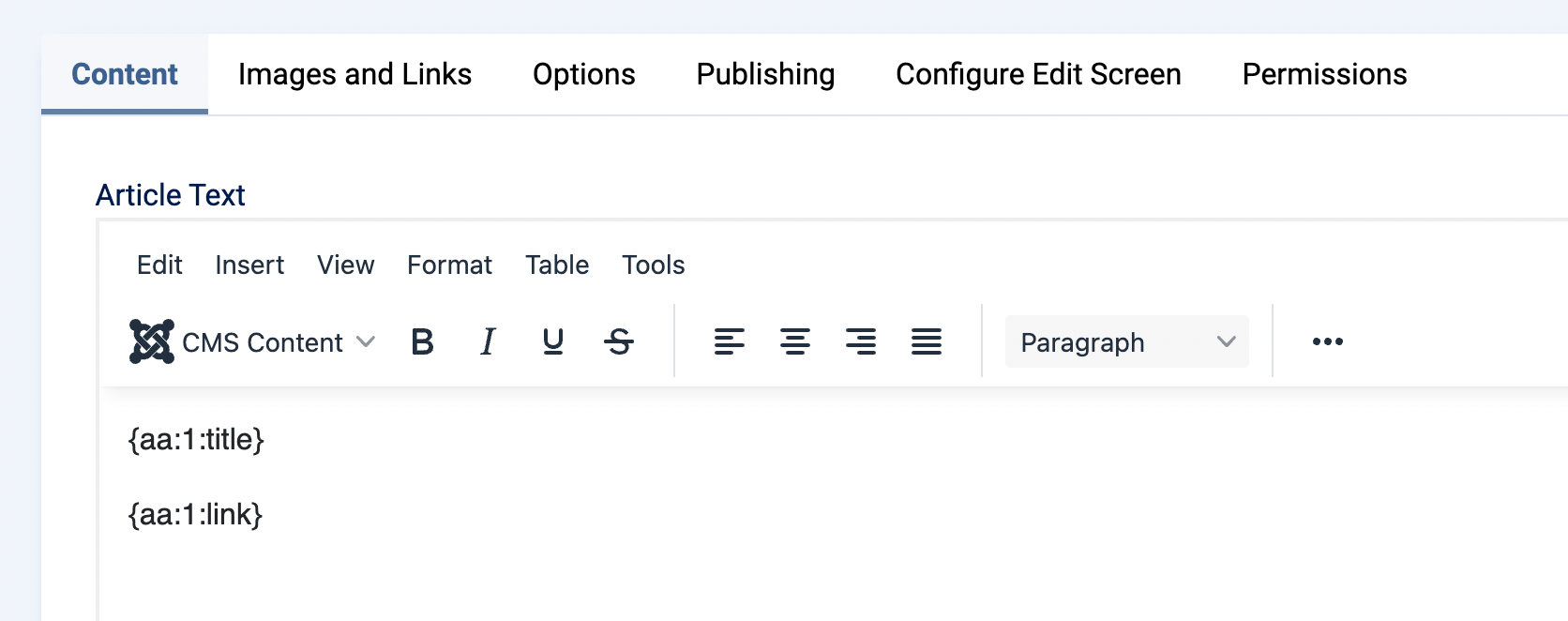
Example:
{aa:1:title} to insert the title of the article with ID 1.
List of currently supported article attributes:
- title
- introtext
- fulltext
- text
- image : Return <img> tag with article image
- image_intro
- image_fulltext
- url
- link: Return <a> tag with link to article
* Image-related attributes are only returned if the post uses an image.

^Add a message editing option for users who cannot use this feature.