YouTube Video Chapters
Video chapters organize YouTube videos into sections, adding context to each part and allowing viewers to rewatch specific segments with ease.
* This module works on Joomla 3,4 and 5.
After installing the module, go to Modules > New > Youtube Chapter to start.
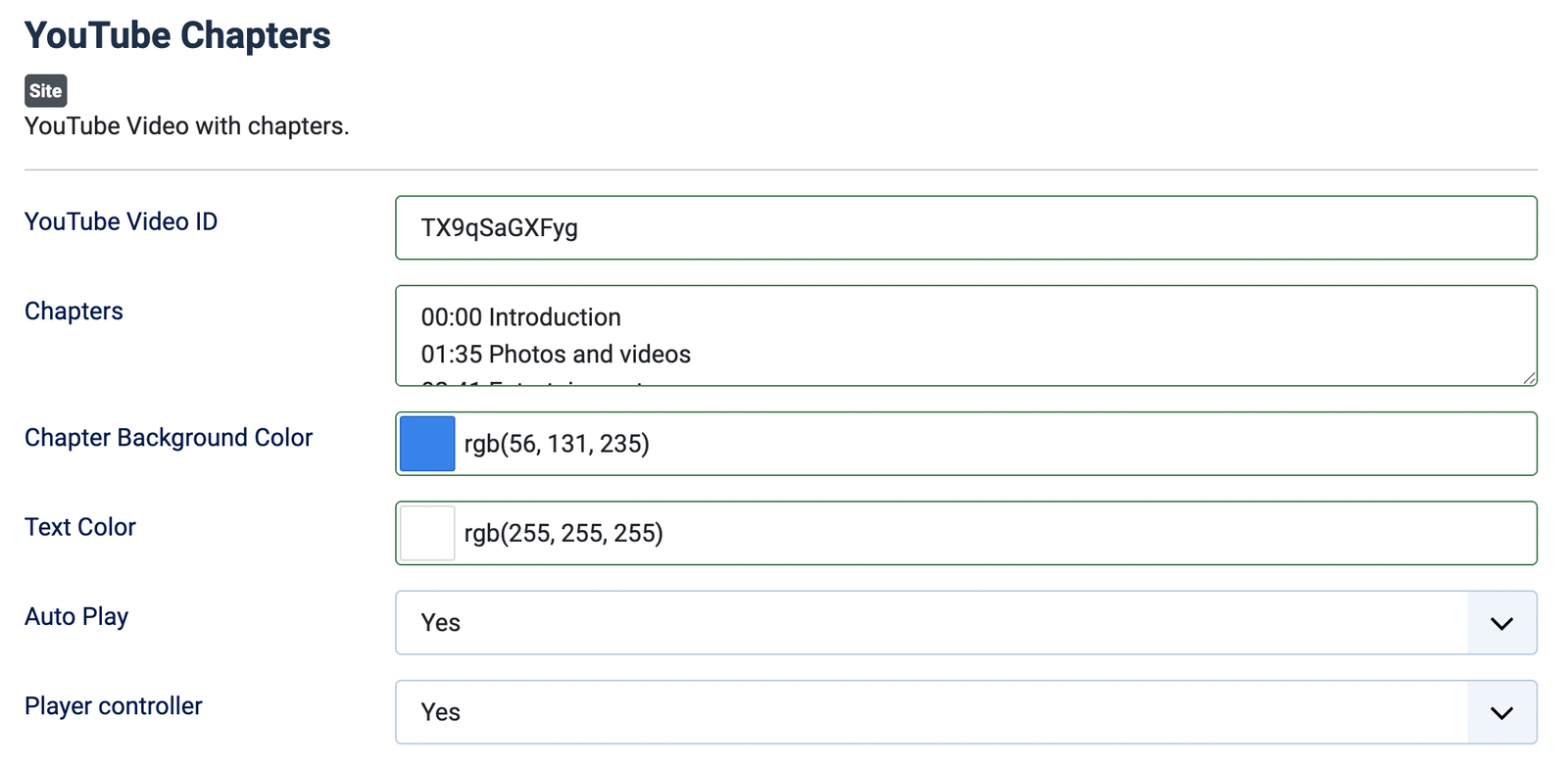
You need to set 2 main parameters:
- YouTube Video ID: The ID of the Youtube video. For example, if the link to the video is https://www.youtube.com/watch?v=TXNQ01Sy6Xw, then its ID is TXNQ01Sy6Xw.
- Chapters: Each line is a chapter. The structure of each chapter is <TIME><space><Chapter Caption>. <TIME> has the format "HH:MM:SS", if the video is less than 1 hour long, it has the format "MM:SS", and if the video is less than 1 minute long, it has the format "00:SS".
Examples of how to write chapters:
00:00 Introduction
01:35 Photos and videos
02:41 Entertainment
03:38 Work
04:19 FaceTime
05:26 Design
06:57 Technology
08:32 Ending
Demo:
Some other parameters of the module:

^Add a message editing option for users who cannot use this feature.