Restrict User Registration on Joomla
Your website is starting to receive spam account registrations, and the number is increasing over time. You want to block them, and this plugin will help you do exactly that.

This plugin is designed to restrict user registration.:
- Allow or block account registration by country.
- Check the user's IP address and email before registration. If either is on the blacklist, the plugin will block the registration.
* This plugin is compatible with Joomla 3, 4, 5, and 6.
------------
After installing the plugin, go to Admin Panel > System > Plugins > JMP Restrict Registration to get started.:
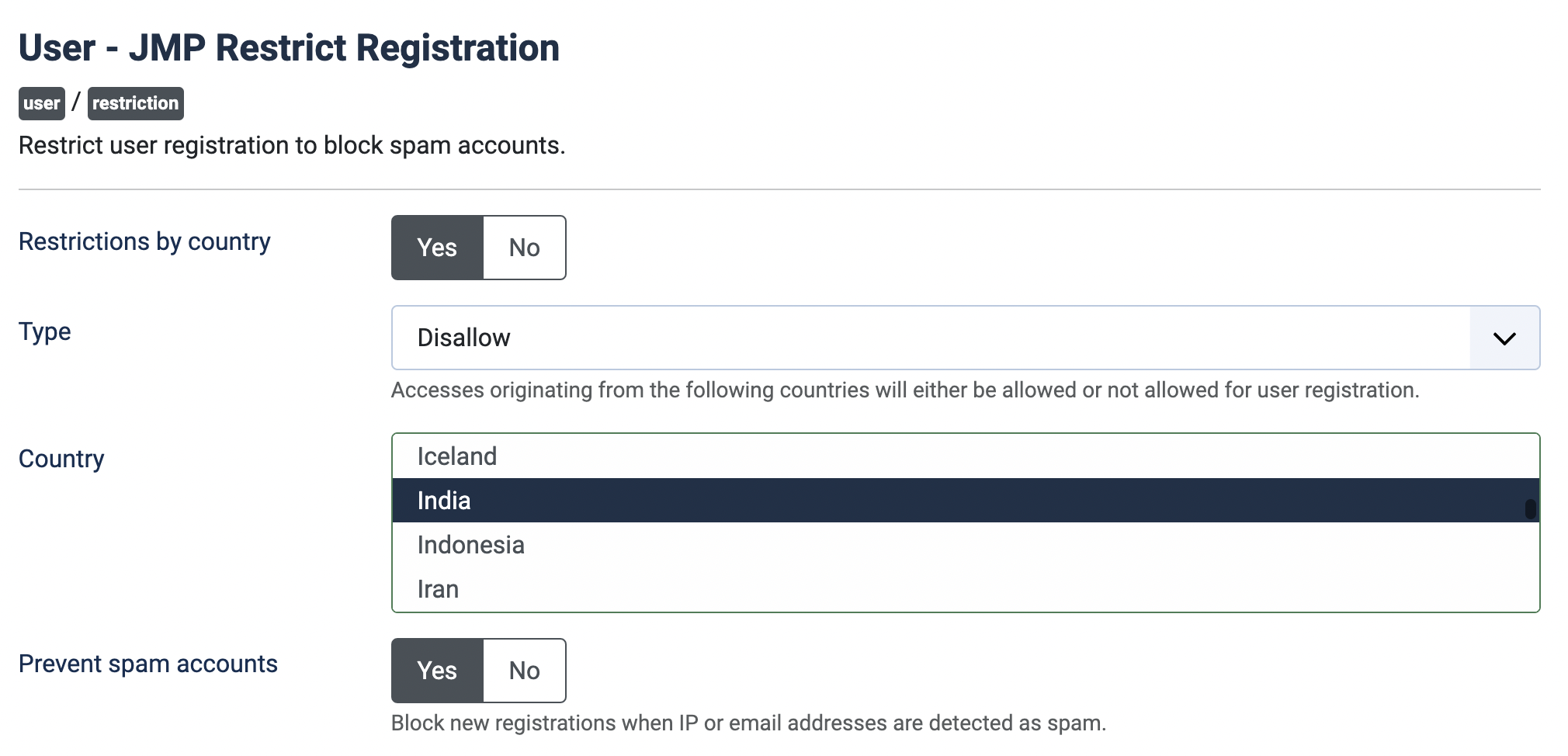
Set the necessary parameters, then enable this plugin.
Note: This plugin requires cURL and allow_url_fopen is On. You can check it from Administration > System > System Information > PHP Information.

I have been googling how to change the menu colours, as the black text on my purple background is not very readable. However everything I have tried to change the text colour of the Off-Canvas main menu text to white did not work.
Would you know what custom CSS I would need to change all menu items to white text (including submenus).
Probably need background colour to not be white when hovering over submenus
Any help you can provide would be gratefully appreciated (or a pointer to some useful help).
Thank you
see
https://siteupdate.vedicmaths.org/index.php
InPre-Update Check for Joomla 5.4.4
for Off-Canvas it says
Joomla cannot detect the extension's compatibility with the target version of Joomla.
have you implemented the compatibility stuff for Joomla to upgrade extensions correctly ?
Have got two off canvas menus working (1. for tools and 2. for main menu)
However I can only get the Main menu to display the first level of menu items.
Have you any suggestions for getting the sub menu items to display ?
N.B. the menu item with sub menu items does display a down arrow, but trying to click on it only display the item at the main menu level.
see
https://siteupdate.vedicmaths.org/index.php
If you want to see where I have currently got to