Content Author is an add-on extension for Joomla Content. By installing it, you can categorize articles by author. Make it easy for users to access the content they are interested in.
Download
- The installation package includes component & plugins.
- Works with Joomla 4, 5 and 6.
-
Buy Now ( $13 )
Screenshots
Key Features
- Users can write and manage their posts (Add, edit, delete, unpublish...)
- Users can add their avatar, signature or website address.
- Author (user) information will appear at the beginning and end of the article.
- Author list page.
- Manage authors by user group.
- Intuitive, easy to use user interface.
Documentation
After a successful installation, go to Components > Content Author to get started.

A list of authors and their posts will be displayed here. By default, every user is an author.
If you only grant writing permission to a group of users, you should go to the Content Author settings, select the user group in the User groups to manage section.
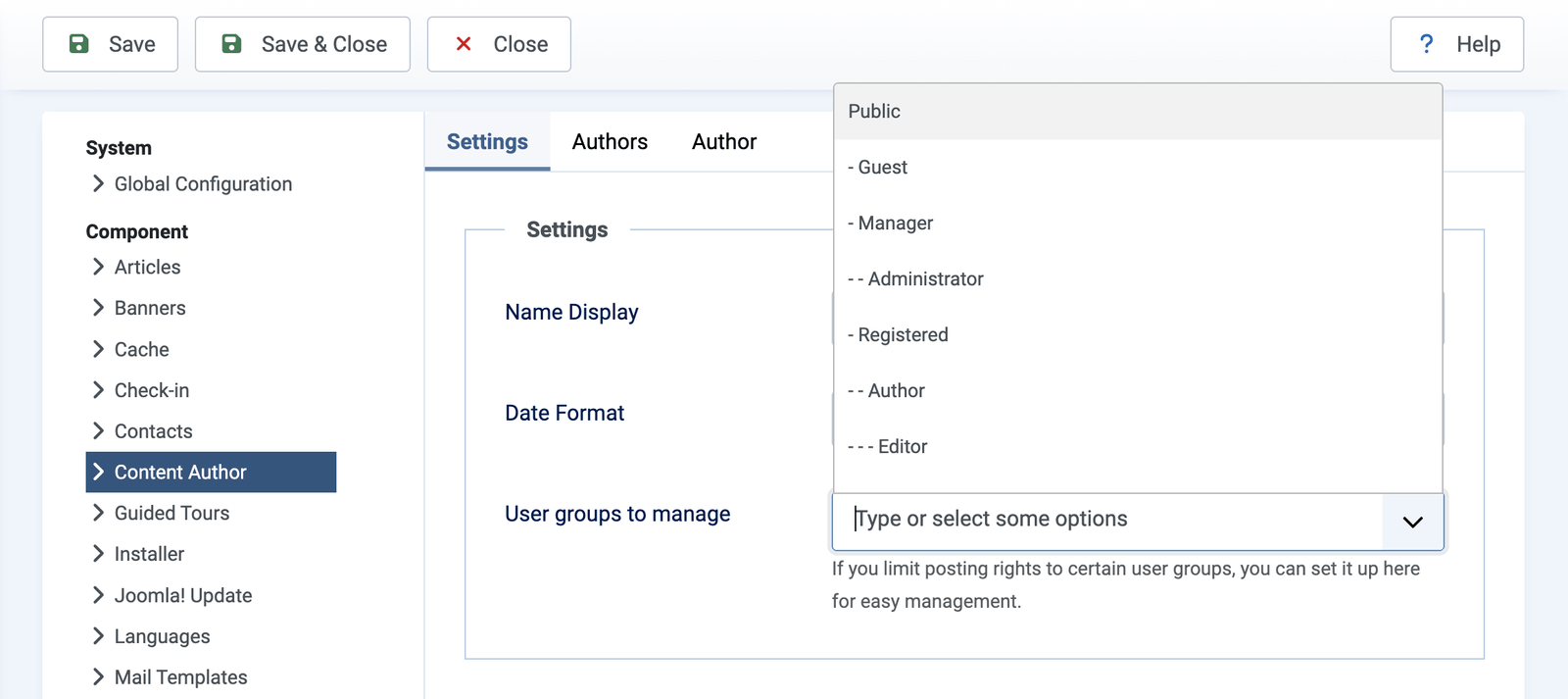
Parameters:
- Settings
- Name Display: Screen Name | Username
- Date Format
- User groups to manage
- Authors
- Search box
- Number authors per page
- Sorting
- Number of article
- Author Intro Text
- Number of words
- Author
- Article Search box
- Number articles per page
- Category
- Image Article
How to grant content permissions to user groups
To grant permissions such as Writing, editing, deleting..., go to Content > Options > Permissions:
- Create
- Delete
- Edit Own
- Edit State
How to use HTML tags and "Read more" in the editor
In some cases, HTML or "Read More" tags are lost when saving. This video shows you how to fix it.
Video Tutorial
Video tutorial on how to use this extension, it does not include testing the installation parameters.




^ Option to display author information at the top of the article.
^ Use the {pos} syntax to move the author information box.
# Fixed known bugs.
My association makes sheet music available to members of the orchestra. Currently, I have to upload files via a separate application; however, I would actually like to be able to do this within my Joomla site.