·
3 hours ago
Does it support importing meta descriptions and SEO-related fields from the CSV?
-
This commment is unpublished.
 · 1 hours ago@Aoife Murphy Yes, it has Metadata and Metakey fields for you.
Instead of manually importing each article through a series of operations, with this tool, you can import a series of articles with a few clicks.
* Works with all Joomla versions.
After installing this extension, go to Components > CSV to Content to get started.
Here, upload your CSV file. Make sure your CSV file contains at least the following fields:
Optional fields include: Alias, Category, Author, Created, Metakey, Metadesc, Image, and Hits.
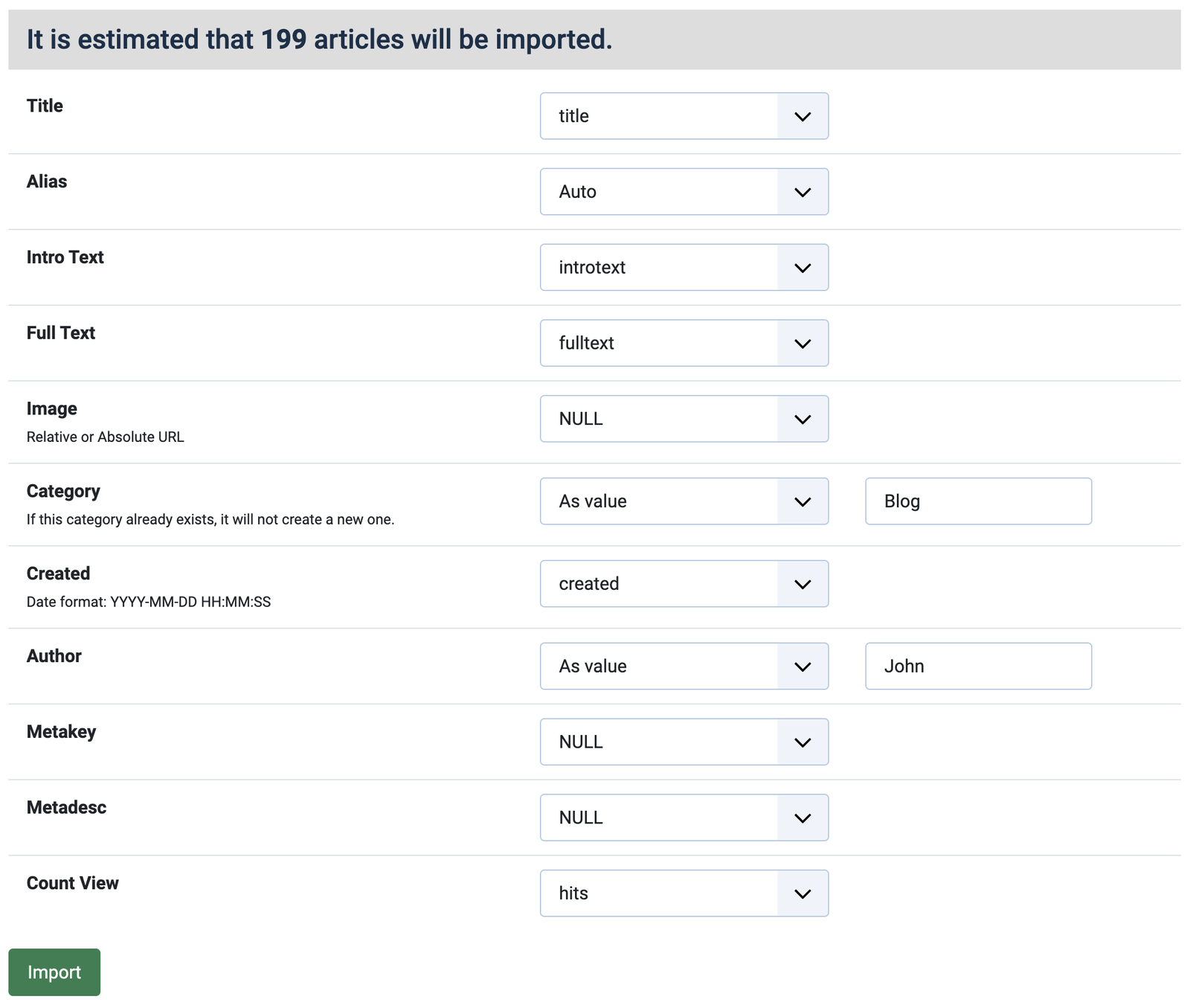
Select the appropriate fields and click the "Import" button to start importing. The results will be displayed in real time.



I have been googling how to change the menu colours, as the black text on my purple background is not very readable. However everything I have tried to change the text colour of the Off-Canvas main menu text to white did not work.
Would you know what custom CSS I would need to change all menu items to white text (including submenus).
Probably need background colour to not be white when hovering over submenus
Any help you can provide would be gratefully appreciated (or a pointer to some useful help).
Thank you
see
https://siteupdate.vedicmaths.org/index.php
InPre-Update Check for Joomla 5.4.4
for Off-Canvas it says
Joomla cannot detect the extension's compatibility with the target version of Joomla.
have you implemented the compatibility stuff for Joomla to upgrade extensions correctly ?
Have got two off canvas menus working (1. for tools and 2. for main menu)
However I can only get the Main menu to display the first level of menu items.
Have you any suggestions for getting the sub menu items to display ?
N.B. the menu item with sub menu items does display a down arrow, but trying to click on it only display the item at the main menu level.
see
https://siteupdate.vedicmaths.org/index.php
If you want to see where I have currently got to